
KaiJar
Know what’s actually left.
Set a budget per category, log what you spend, and see the real number remaining — not an estimate. Recurring bills are counted before you spend the money, so the total you see is the total you can actually use.
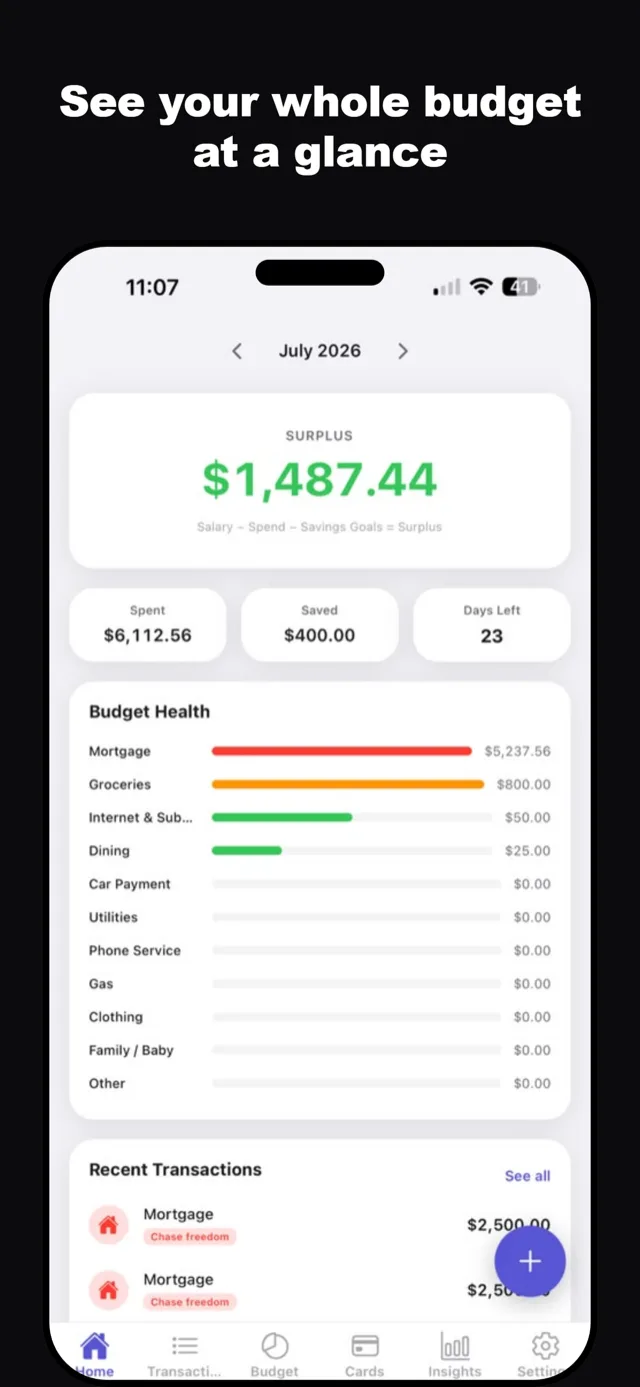
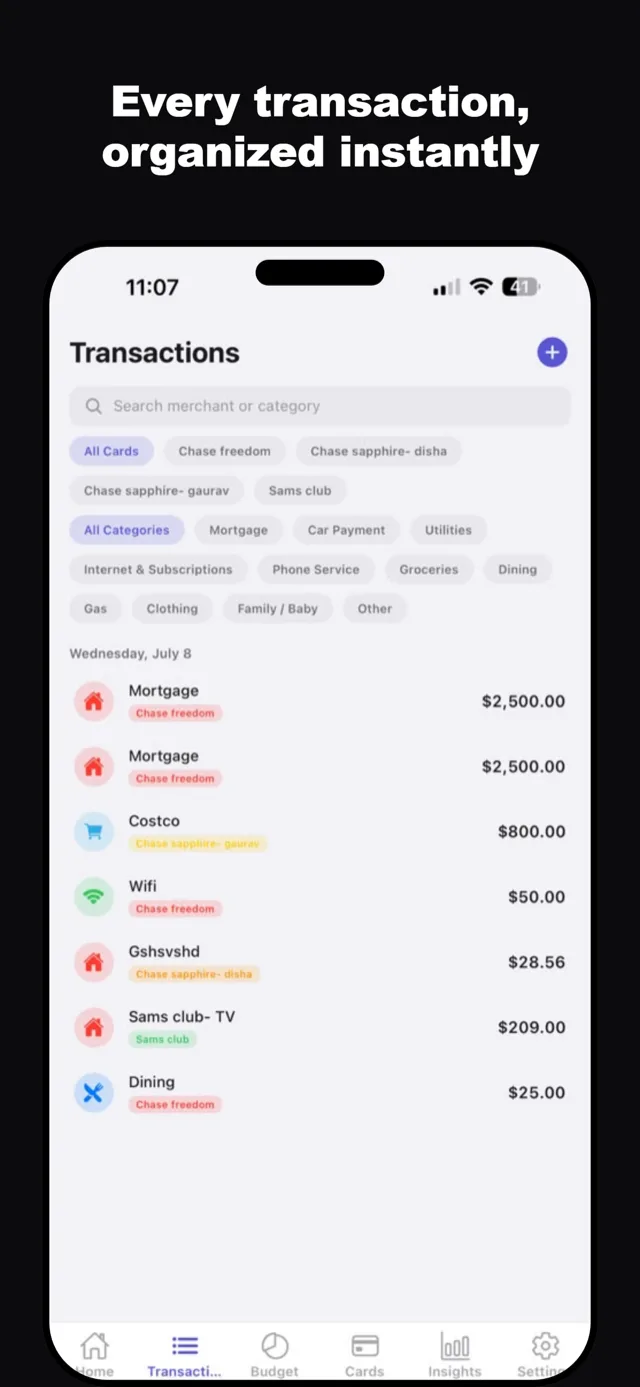
The number you see is the number you have
Budgets by category, with recurring bills already accounted for. No mental subtraction at the till.
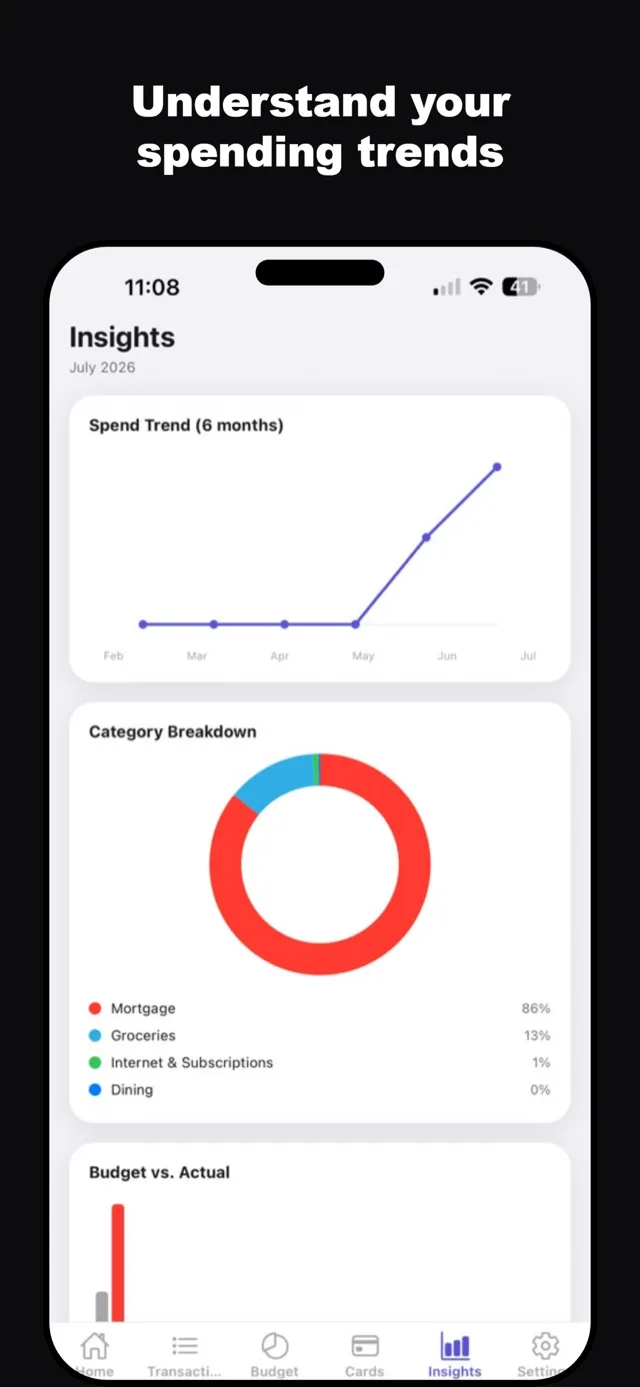
Spending that explains itself
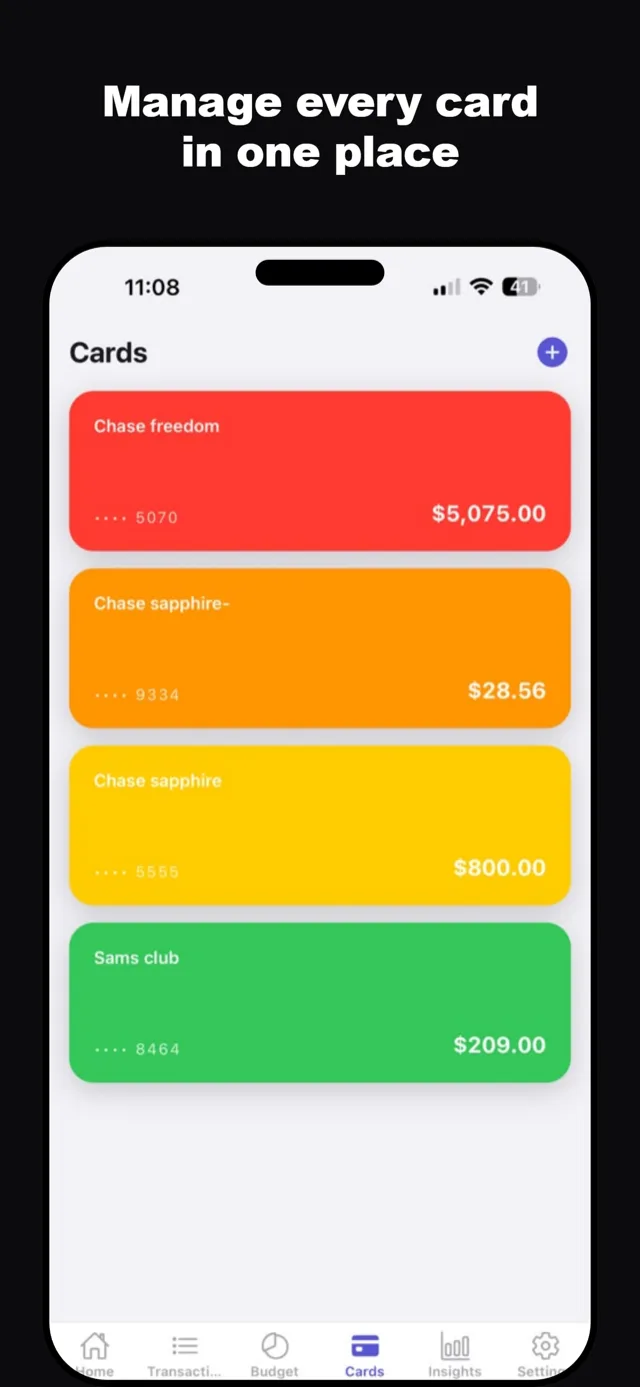
Insights show where the month actually went, by category and by card — so the surprise on the statement stops being a surprise.
One budget, the whole household
Share a budget with your partner so you are both looking at the same numbers instead of two half-pictures.
Locked, and synced when you want it
Face ID on the app. Turn on sync in Settings and your budget is backed up to your account, so a lost phone does not have to mean a lost year of records.
Everything it does
- Budgets by category with real remaining balances
- Recurring bills counted automatically
- Track spending per card
- Insights by category and by month
- Shared household budgets
- Import existing transactions
- Sign in with Apple, or email and password
- Face ID lock
Your budgets and transactions are stored on your device. Sync is off until you switch it on in Settings; once you do, they are also stored on our server so they survive a lost phone and appear on your other devices. Full privacy policy.
- Overview
- Privacy
- Terms
- Support
- Delete your data